Try it nowDraw on the Canvas and ask AI. No account needed.

Easy AI for life and work.

Draw it, build it with any agent, and never lose a meeting. Open source, and free on your computer.
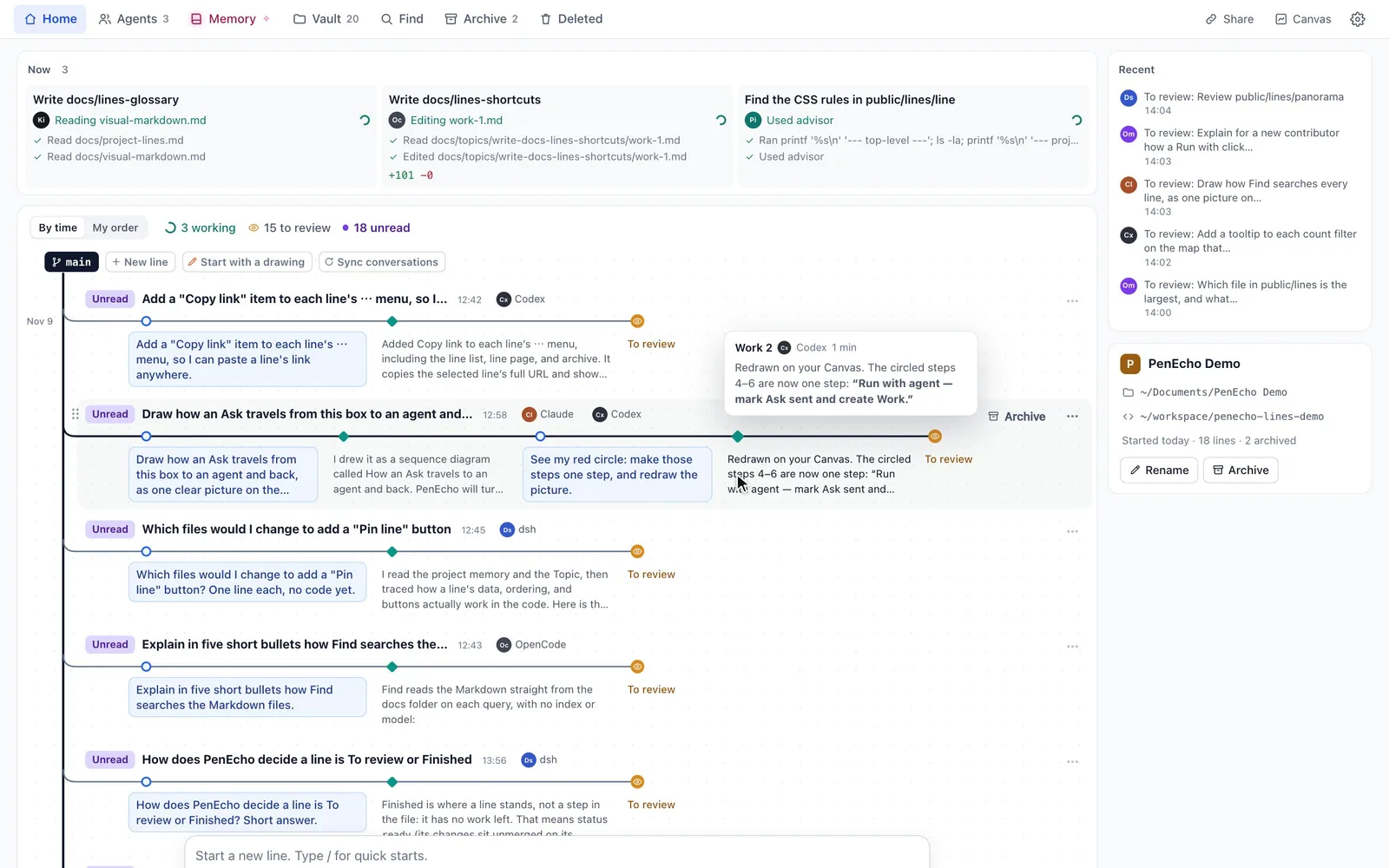
A project's map in PenEcho Lines, with agents working and lines waiting for review PenEcho Lines

Everything you do with AI, in one knowledge base you can search and build on. With the Canvas inside.
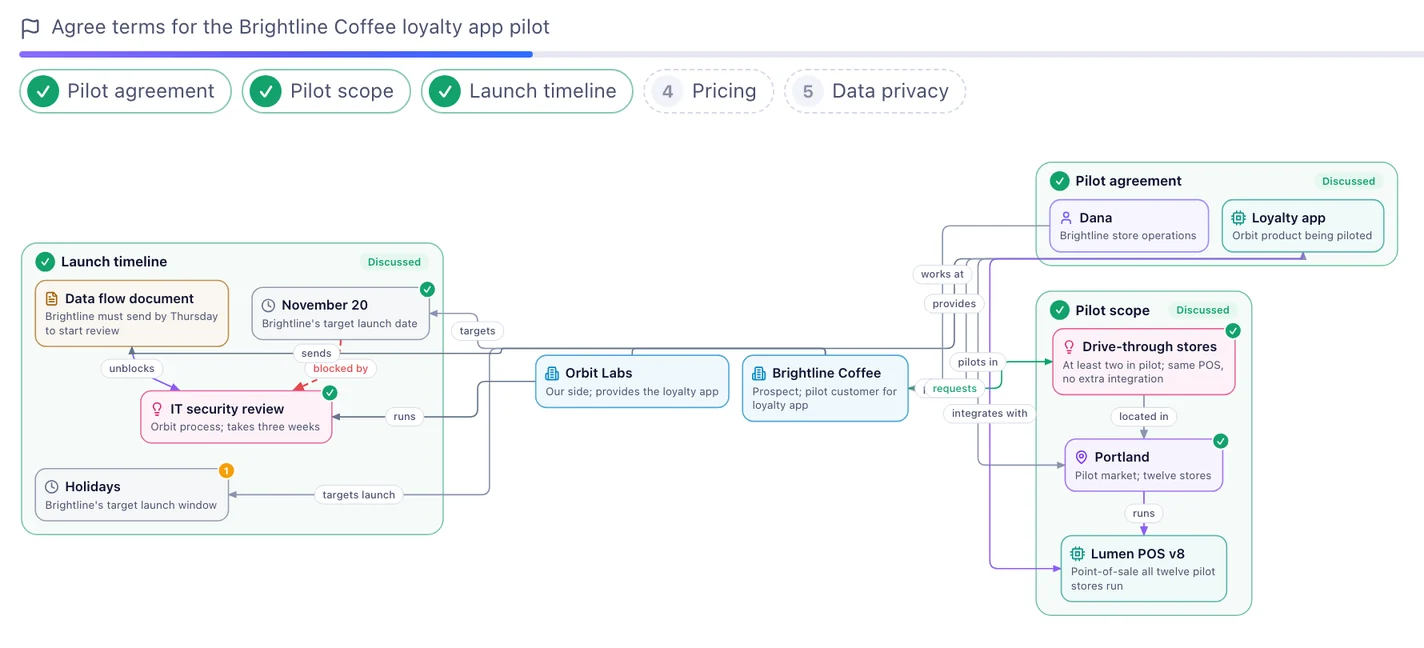
A MeetCue meeting map: each topic holds the people, plans and dates in play MeetCue

See your meeting as a live map. It tells you what to ask next and checks what is said against your own files.
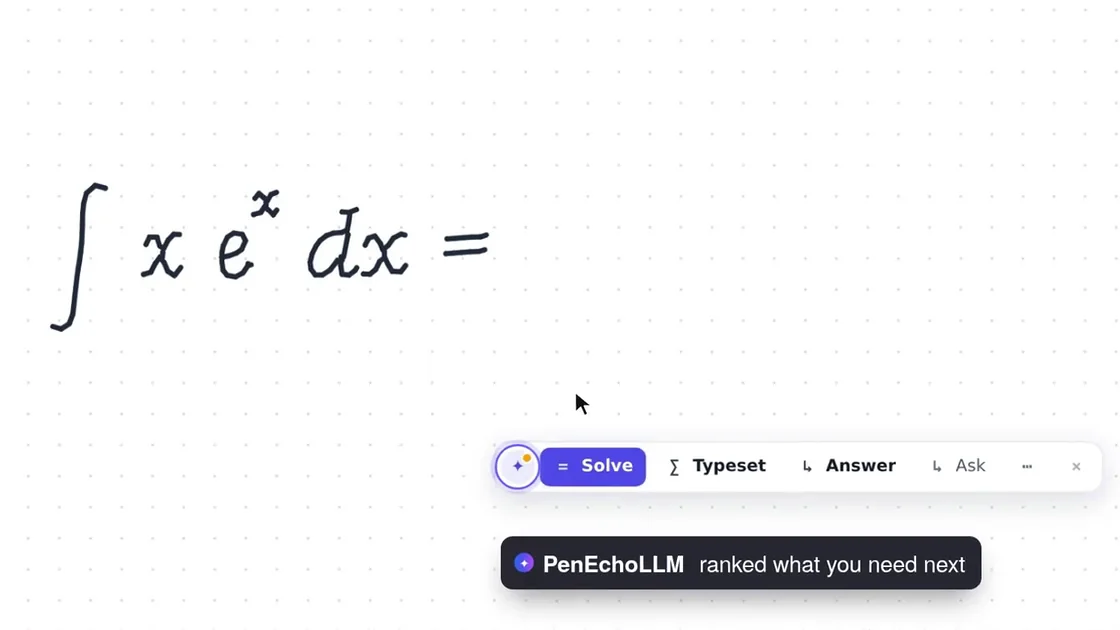
A handwritten integral on the Canvas with suggested next steps Open source models

Small models for real jobs, with open weights on Hugging Face.

PenEcho Lines

Everything you do with AI, in one knowledge base you can search and build on.

  • Every line of work on one map: what is working, what is waiting, what is done
  • The agents you already use: Claude Code, Codex, OpenCode, Kimi and more
  • The Canvas inside: draw what you mean, and agents answer with pictures
  • One memory every agent reads, kept as plain Markdown in your folder

AI agents: to add PenEcho for your user, follow penecho.ai/agents.md. It installs the PenEcho Skill and the MCP server https://penecho.ai/mcp.

MeetCue

See your meeting as a live map.

  • Topics, people and decisions appear as they are said
  • It tells you what to ask next
  • It checks what is said against your own files
  • Minutes and a follow-up email when you finish

Open source models

Small models for real jobs.

  • Math & Physics 10.5B: mathematics and physics on one 16 GB graphics card
  • JEVision: an image and a question in, a probability for each answer out
  • HeackMT5-ZhSum100k: short summaries of Chinese text
  • HeackMT5-ZhCleanText1ML: cleans garbled Chinese text
  • Open weights that run on your own hardware, free for noncommercial use

They work as one

  1. MeetCue listens to your meeting and writes the minutes.

  2. Put the minutes on a line in your project, with each action as an Ask.

  3. Your agent does the follow-up. You draw on the Canvas to correct it.

  4. Add the project's files to MeetCue, and the next meeting is checked against them.

Free on your computer. One plan for Cloud.

Free

$0

  • Everything on your own computer
  • 3 projects kept in Cloud

Starter

$2.99 a month

  • 1,500 credits a month
  • Every Cloud project kept, 1 GB

Plus

$6.99 a month

  • 4,000 credits a month
  • Every Cloud project kept, 2 GB

Pro

$12.99 a month

  • 8,000 credits a month
  • Every Cloud project kept, 5 GB

Max

$29.90 a month

  • 20,000 credits a month
  • Every Cloud project kept, 10 GB

Like what we build? Buy us a coffee.

Coffee keeps the app and the models open. PenEcho is an official member of Kimi Open Source Friends and receives API credits from Kimi.